The invoice balance
What is outstanding?


Receivables software for finance teams
See which invoices are overdue, what the customer has said and who needs to act. Equisettle brings payment promises, disputes and follow-ups into the same customer workspace.
For businesses and the accounting practices supporting them.
Equisettle / Customer workspace

Dispute review

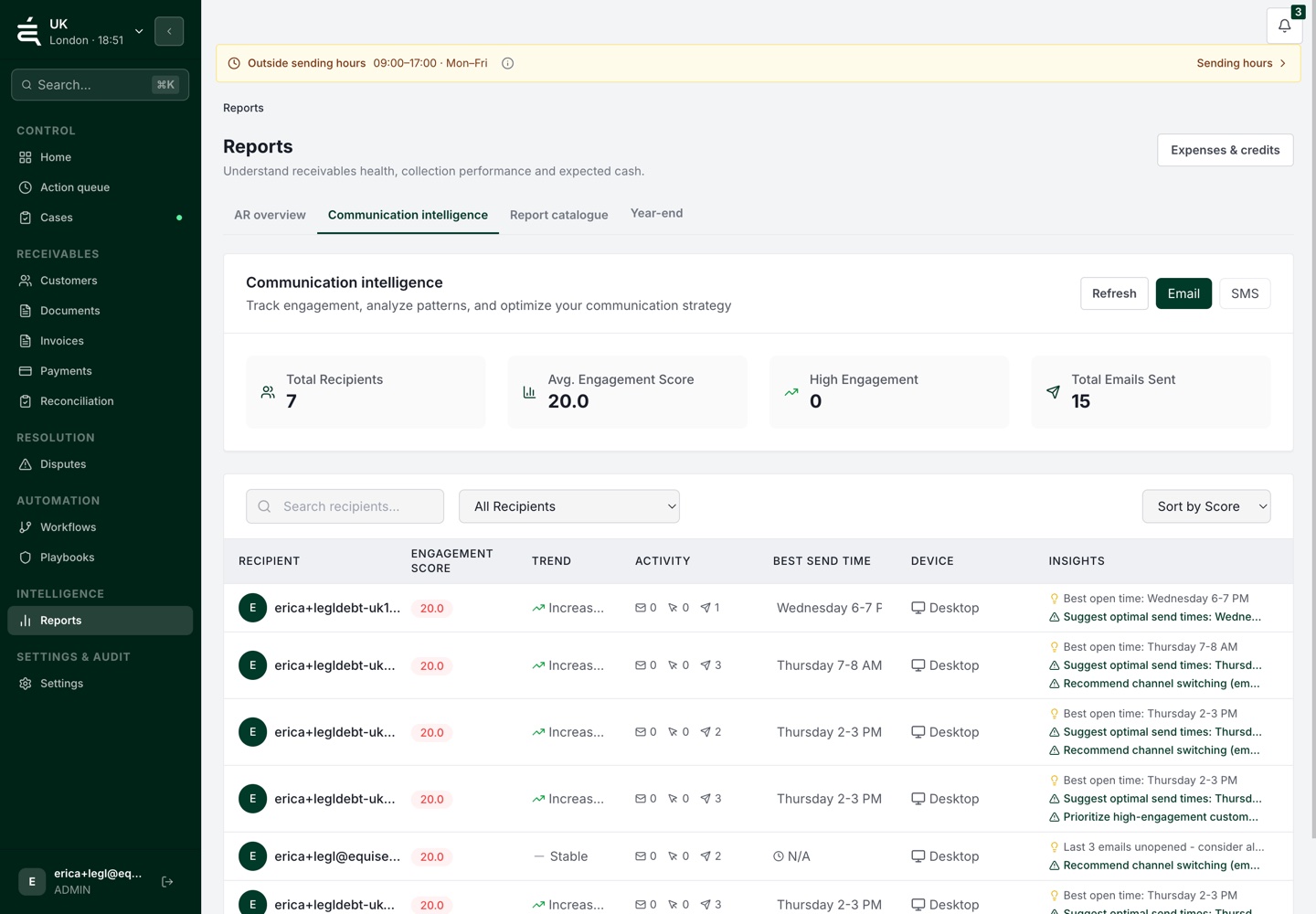
Communications intelligence
The problem with overdue accounts
A payment promise sits in a call note. A price query is in an email. A colleague sent the last reminder.
Equisettle keeps invoices, conversations, payment promises and disputes in one customer workspace. Your team can see the issue, its owner and the next action.
What is outstanding?
What did the customer agree?
What is holding up payment?
What has already been done?
A closer look
Review an open payment query and the collection stages your team can work through.
Open the invoice query to see the amount in dispute, the supporting details and who needs to respond.
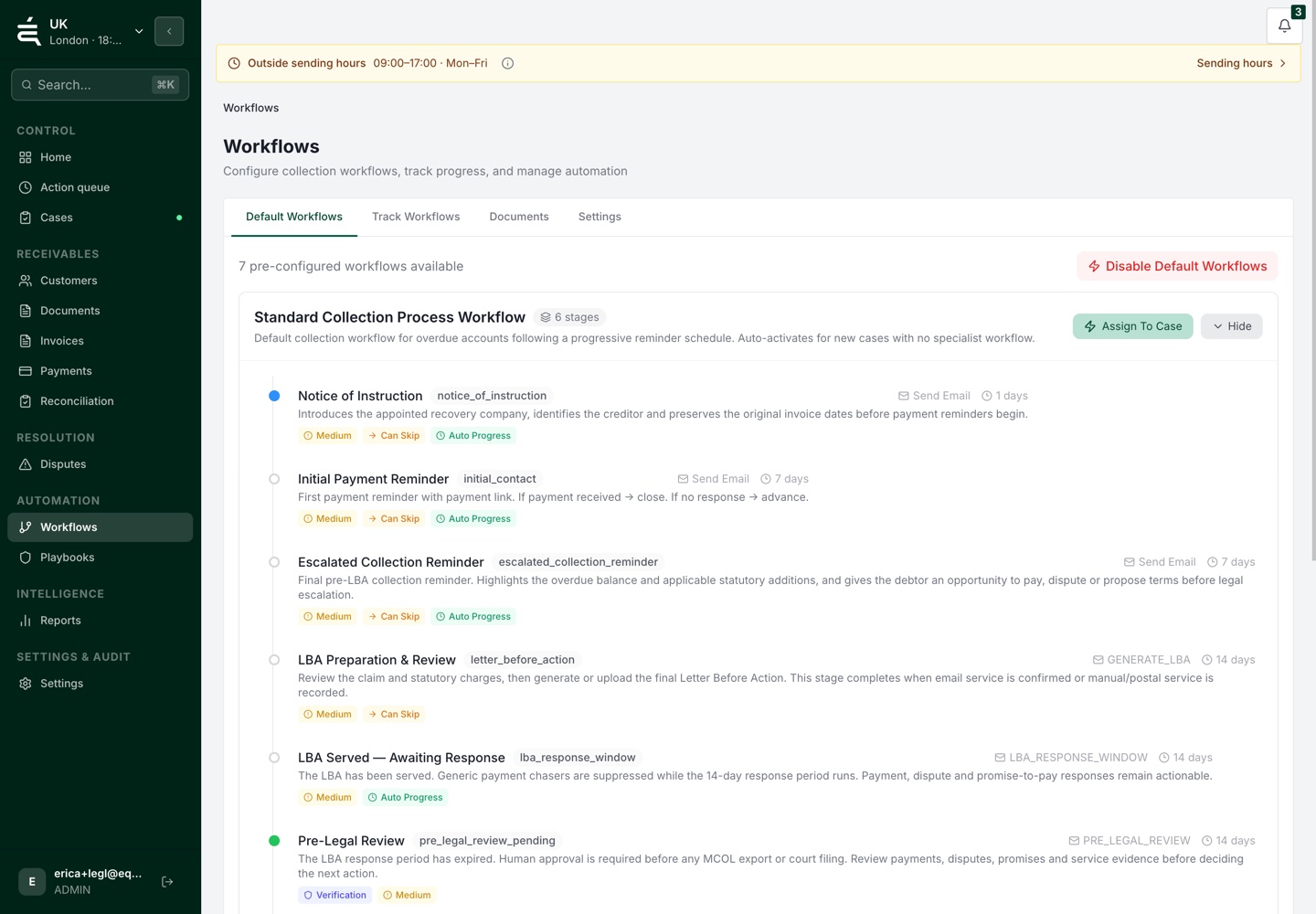
Review the reminder stages, timing and review steps before choosing the next follow-up.
Routine work and judgement calls
Set the stages for routine follow-ups. When a customer raises a query, your team can review the account and decide what happens next.
Explore workflows and controlsExplore the workflow
Select a stage to see what happens.
See the outstanding balance, payment promises and earlier follow-ups together.
Use your configured workflow for routine follow-ups. Keep the sent messages with the account history.
A price query needs a person to review the details, agree who is responsible and decide the next action.
Leave the decision and supporting information with the account, so a colleague can pick up the work.
Example workflow. Your team defines the stages and review steps.
Beyond the next reminder
Check a payout against the bank receipt, or prepare an overdue case for a recovery partner.
Compare the settlement breakdown with the receipt. Review fees, refunds and other adjustments before confirming the match.
Prepare the instruction and supporting evidence for an approved recovery partner, then follow the referral's progress.
Connected to the way you get paid
Connect banking and payment activity to your accounts, or look up your receivables from Claude and ChatGPT through Equisettle MCP.
Banking
Connect supported bank accounts to bring incoming transactions into your receivables review.







Card payments
Connect your Stripe account so your team can follow payment activity alongside the customer record.

Direct Debit
Connect GoCardless to manage Direct Debit collections as part of your receivables work.
Equisettle MCP
Connect Claude or ChatGPT to look up invoices, customers and cases in Equisettle. Read-only access keeps changes to your records in your team’s hands.

 ChatGPT
Accounting practices and debt collection partners
Practices oversee receivables across clients. Recovery partners take on referred cases. Each needs a clear record of the work already done.
For accounting practices
Keep client accounts, payment promises and open disputes organised, with a clear owner for the next action.
For accounting practicesFor debt collection agencies
Review case instructions and selected evidence, accept the referral and keep progress updates with the work.
Apply as a collection partnerThe rest of the daily work
Give customers a way to respond, track their commitments and manage the work across entities.
Give customers a place to view their invoices and payment options.
Put the outstanding balance and its invoices into a clear statement.
Record the amount and agreed date so the next follow-up starts with what was promised.
Keep work organised across the businesses you manage.
Pass the account history and supporting information to the next person handling it.
See the conversations, changes and work already recorded against an account.
“We've saved 8+ hours per week”
Roberto S.
“The initial setup was really easy”
Antonia D.
“The user interface is super easy to use.”
Kiera B.
Selected excerpts from individual reviews. Results describe each reviewer’s experience. Rating and review count checked on 19 November 2026.
See the account, the open issues and the work already done before deciding what comes next.
Before you get started
Equisettle works alongside supported accounting systems. It brings invoice and customer information into the receivables workflow so your team can manage the follow-ups, promises and disputes around it. Check the integrations page for current support.
Record the dispute against the account, keep its supporting information together and give the next action an owner.
Set the stages and rules for routine follow-ups. Your team can review exceptions and decide when the approach needs to change.
Yes. Equisettle supports a practice route for the businesses you look after. Choose My clients in Get started, or visit the accountants page for details.