
01
Review the account balance
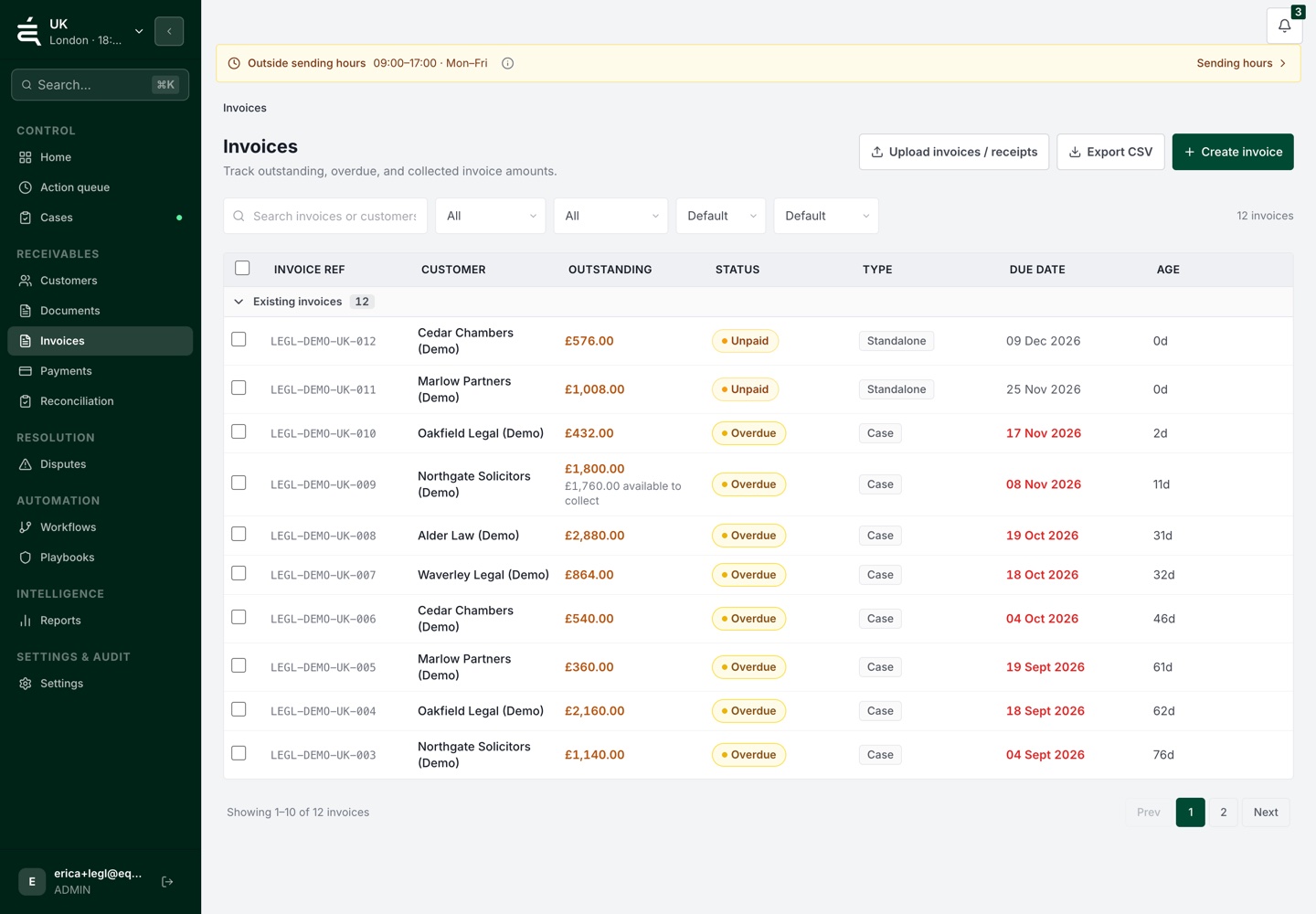
See the available invoices and payment position together.


Receivables operations

WHY IT MATTERS
Finance may see the overdue balance while another colleague holds the answer about delivery, pricing or paperwork. The account needs a shared record of the issue and who will resolve it.
HOW EQUISETTLE HELPS
A delivery question, price difference or missing document can hold up payment. Keep the issue and its owner visible while the rest of the account is reviewed.
01
Bring the available account records into one view. Identify which invoices need routine follow-up and which have a known issue attached.
THE PROCESS
02
Record the delivery, pricing or paperwork question with supporting notes and an owner. Finance and operational colleagues can work from the same case history.
03
Keep the response, agreed next step and remaining balance with the account. The team can continue collection without asking the customer to repeat the query.

WHAT THIS GIVES YOUR TEAM
01
See the available invoices and payment position together.
02
Keep delivery, pricing and paperwork questions with the relevant receivables work.
03
Make responsibility visible when finance needs information from another colleague.
04
Keep notes and customer contact with the case as the issue is investigated.
05
Update the next follow-up when an answer or payment changes the account position.
Available communication channels depend on your workspace configuration. Keep customer replies and the next follow-up connected to the account, with a person responsible for exceptions.
Review each invoice with its amount, terms and supporting paperwork. Configure follow-up around the account and investigate queries before escalating.
Equisettle connects with Xero, QuickBooks, Sage and FreeAgent so invoices sync automatically and collections start without manual data entry.
Equisettle supports payment plan management so you can track instalment schedules, send reminders for each payment and flag missed instalments for escalation.
Setup involves connecting or importing data, checking the records and reviewing your workflow. Timing depends on the system and the work needed to prepare your accounts.
Yes, a free 14-day trial is available with no credit card required so you can test Equisettle with your live invoice data.
See the account, the open issues and the work already done before deciding what comes next.