
01
Define the starting conditions
Choose the supported account and invoice conditions that determine when work begins.


Receivables operations
WHY IT MATTERS
Different payment terms, invoice values and customer situations need different treatment. If the rules are only in someone's head, colleagues have to keep asking which action comes next.
HOW EQUISETTLE HELPS
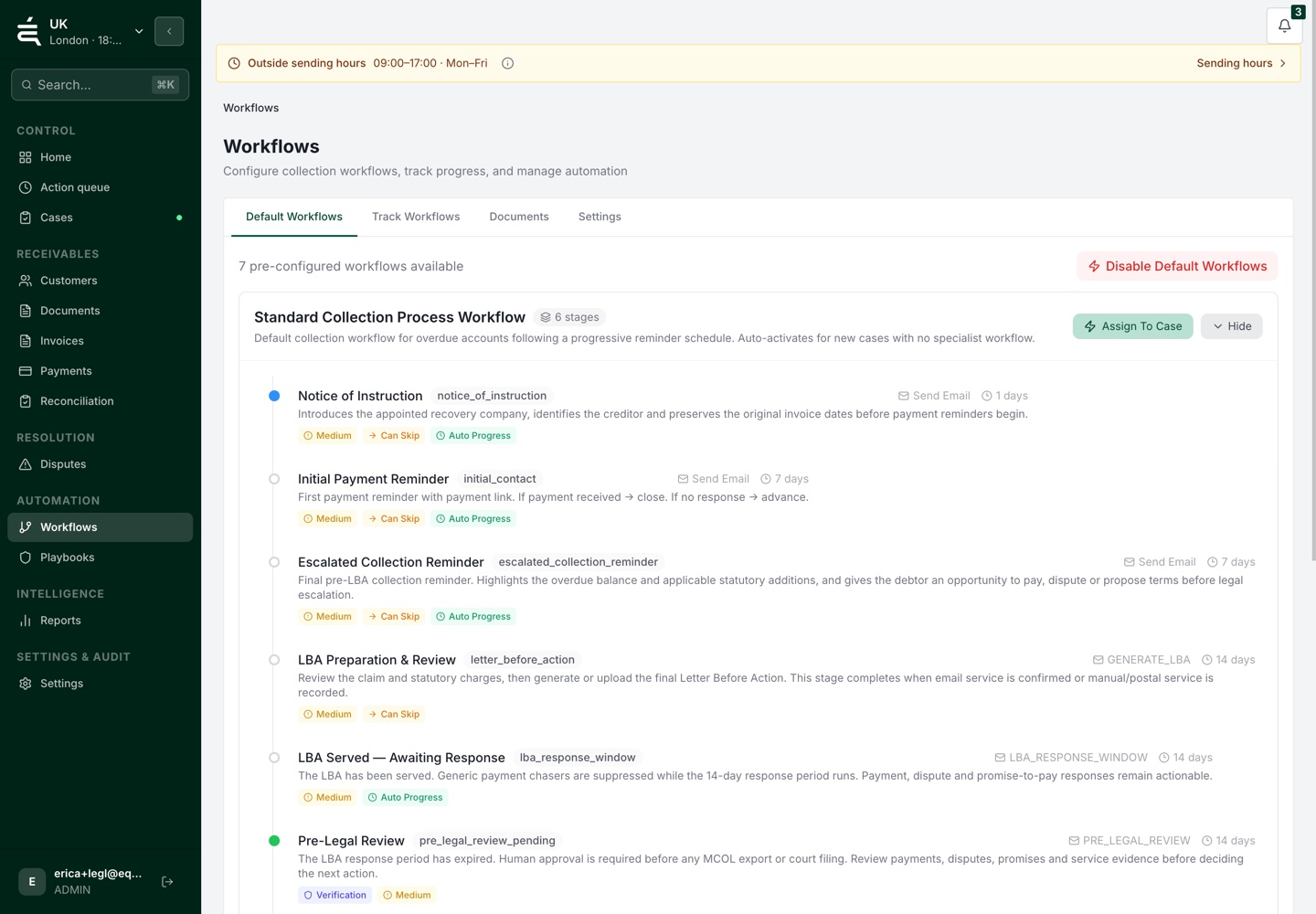
Different accounts need different treatment. Set the stages, conditions and review points that determine how receivables work moves forward.
01
Use the supported invoice and account conditions to define when work should begin. Make the starting rule explicit rather than relying on someone to rebuild a chase list.
THE PROCESS
02
Arrange the follow-up steps, timing and responsibilities. Use the channels and actions configured in your workspace, with review points where a person needs to decide.
03
Check the account when a customer responds or an issue changes the next step. Adjust the process without losing the record of what has already happened.
WHAT THIS GIVES YOUR TEAM
01
Choose the supported account and invoice conditions that determine when work begins.
02
Put the follow-up actions and timing in an order the team can inspect.
03
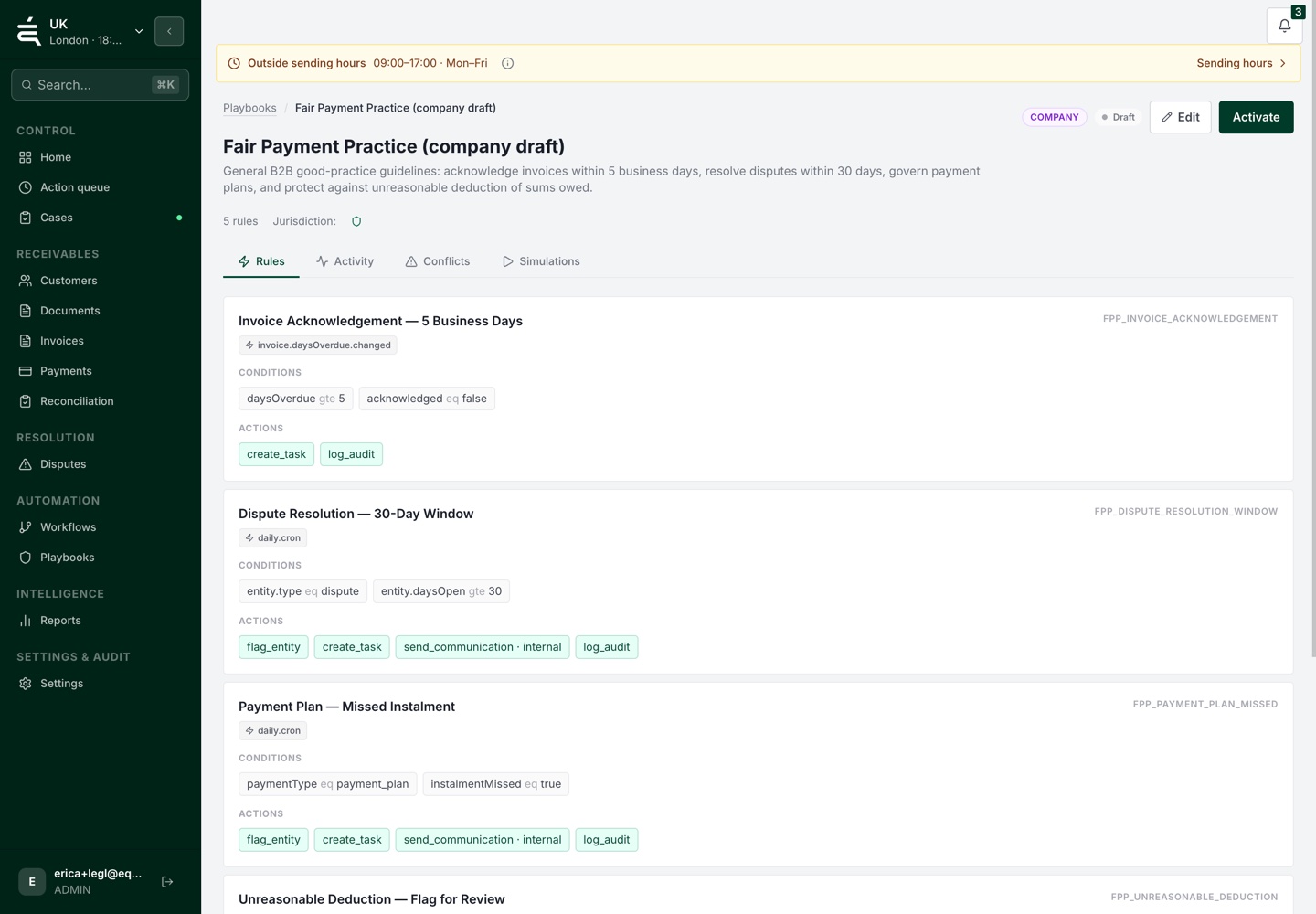
Make it clear where a person needs to approve an action or examine an exception.
04
Build the process around the communication actions available in your workspace.
05
Change the stages or wording while retaining the account history needed to understand previous activity.
Custom workflows let you define exactly how Equisettle chases each invoice, setting the timing, channel, message tone and escalation steps for different customer segments or invoice types.
No. Workflows are built using a visual editor, you drag, drop and configure steps without writing any code.
Yes. You can create separate workflows for new customers, long-standing accounts, high-value invoices or specific industries, Equisettle applies the right workflow automatically.
Workflows can be triggered by invoice due date, days overdue, invoice value, customer segment or manual assignment, giving you full control over when collections begin.
Yes. Workflows can escalate cases to a senior team member, switch communication channel or change message tone based on rules you define.
There is no hard limit on the number of workflows. You can build as many as your collections process requires.
See the account, the open issues and the work already done before deciding what comes next.