
01
Set the timing once
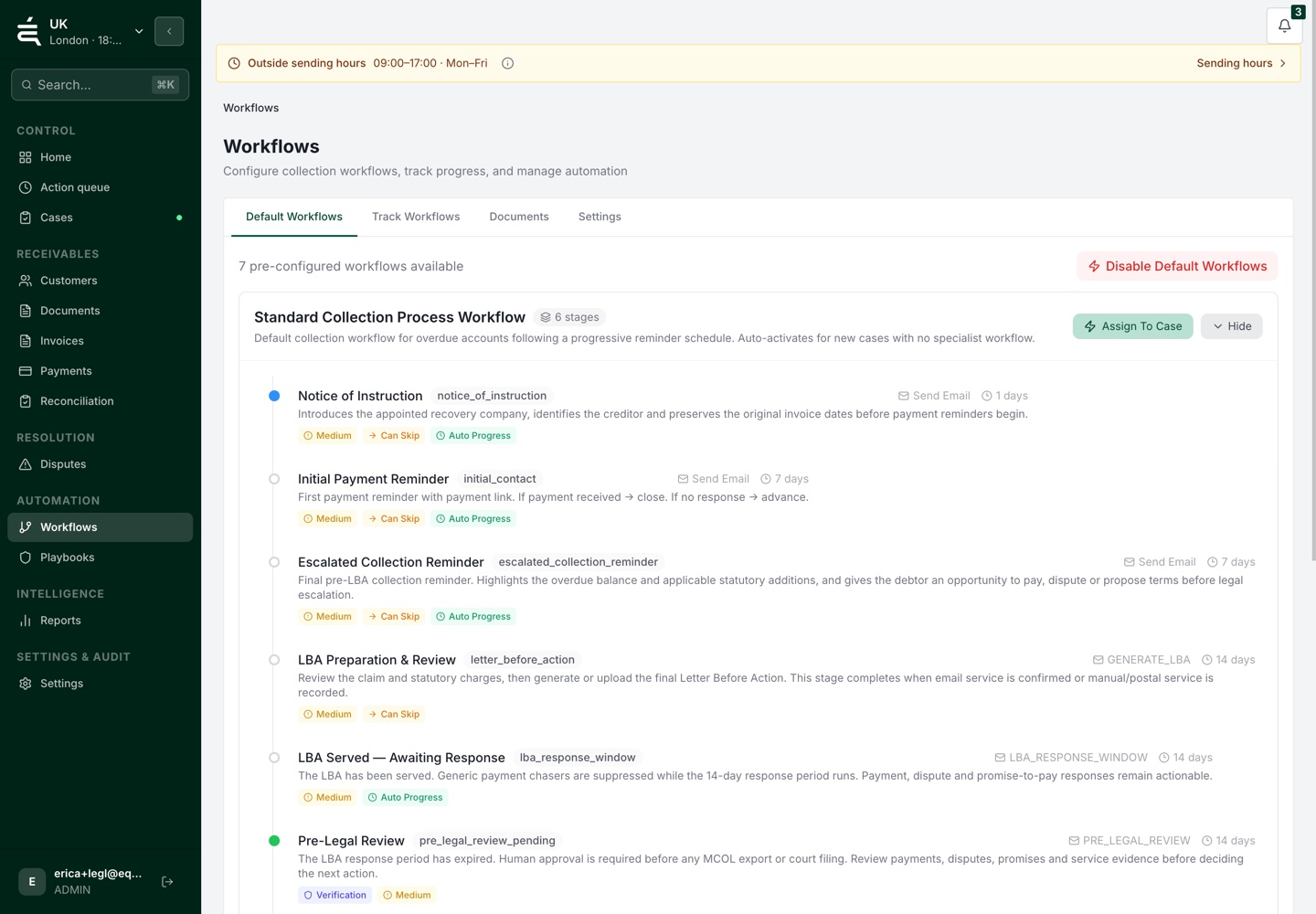
Define the reminder stages for your process rather than rebuilding the schedule for every invoice.


Receivables operations
WHY IT MATTERS
Someone has to find the due invoices, prepare the messages and remember when to contact each customer again. When that schedule lives in a spreadsheet or an inbox, it is difficult for colleagues to see what has already been sent.
HOW EQUISETTLE HELPS
The same invoice should not need a new manual chase list every week. Set the reminder sequence, then review the responses and exceptions that need attention.
01
Choose the reminder stages and approved wording for your process. Include the relevant invoice details so the customer can identify what needs paying.
THE PROCESS
02
Keep the reminder history with the invoice. Check payment status, customer replies and recorded issues before deciding whether the next contact is appropriate.
03
Record a payment promise or raise the query that is holding payment up. Pause or change the follow-up when the account needs a different action.

WHAT THIS GIVES YOUR TEAM
01
Define the reminder stages for your process rather than rebuilding the schedule for every invoice.
02
Keep message templates consistent while including the relevant customer and invoice details.
03
Review previous reminders with the invoice before deciding whether another message is appropriate.
04
Pause or adjust follow-up when a payment, reply or unresolved issue changes the account position.
05
Keep the response and its next action with the account so the team can resolve the issue behind it.
Available communication channels depend on your workspace configuration. Keep customer replies and the next follow-up connected to the account, with a person responsible for exceptions.
Yes. Every reminder template is fully editable. You control the subject line, message body, tone and timing for each stage of the sequence.
Review the payment and invoice status available from your connected setup. Sync timing and supported actions depend on the provider. Check unmatched or uncertain items before the next follow-up.
Yes. You can create multiple reminder workflows and assign them to specific customer segments, invoice types or value thresholds.
There is no limit. You can build reminder sequences with as many steps as your collections process requires, across multiple channels.
Yes. Any invoice can be snoozed, paused or excluded from reminders at any time directly from the Equisettle dashboard.
See the account, the open issues and the work already done before deciding what comes next.